
The 3D view
Switch to 3D from the view controls (bottom-right). NexusPlan builds a live model from your plan: walls rise to ceiling height, doors and windows become openings, rooms get their floor material, furniture appears as 3D shapes, and devices sit where they’re mounted.

Getting around
Section titled “Getting around”- Drag to orbit, scroll / pinch to zoom.
- WASD to move the camera.
Overlays
Section titled “Overlays”- Signal — toggle a 3D coverage overlay to see reach in space.
- Devices are colour-coded by their primary protocol and mounted realistically — ceiling lights on the ceiling, wall switches on the wall, plugs low.
For a first-person view, use the walkthrough.

The whole building
Section titled “The whole building”When a project has more than one floor, the 3D view can show them stacked. It always opens on the floor you’re working on; switch between This floor and Whole building at the top left.
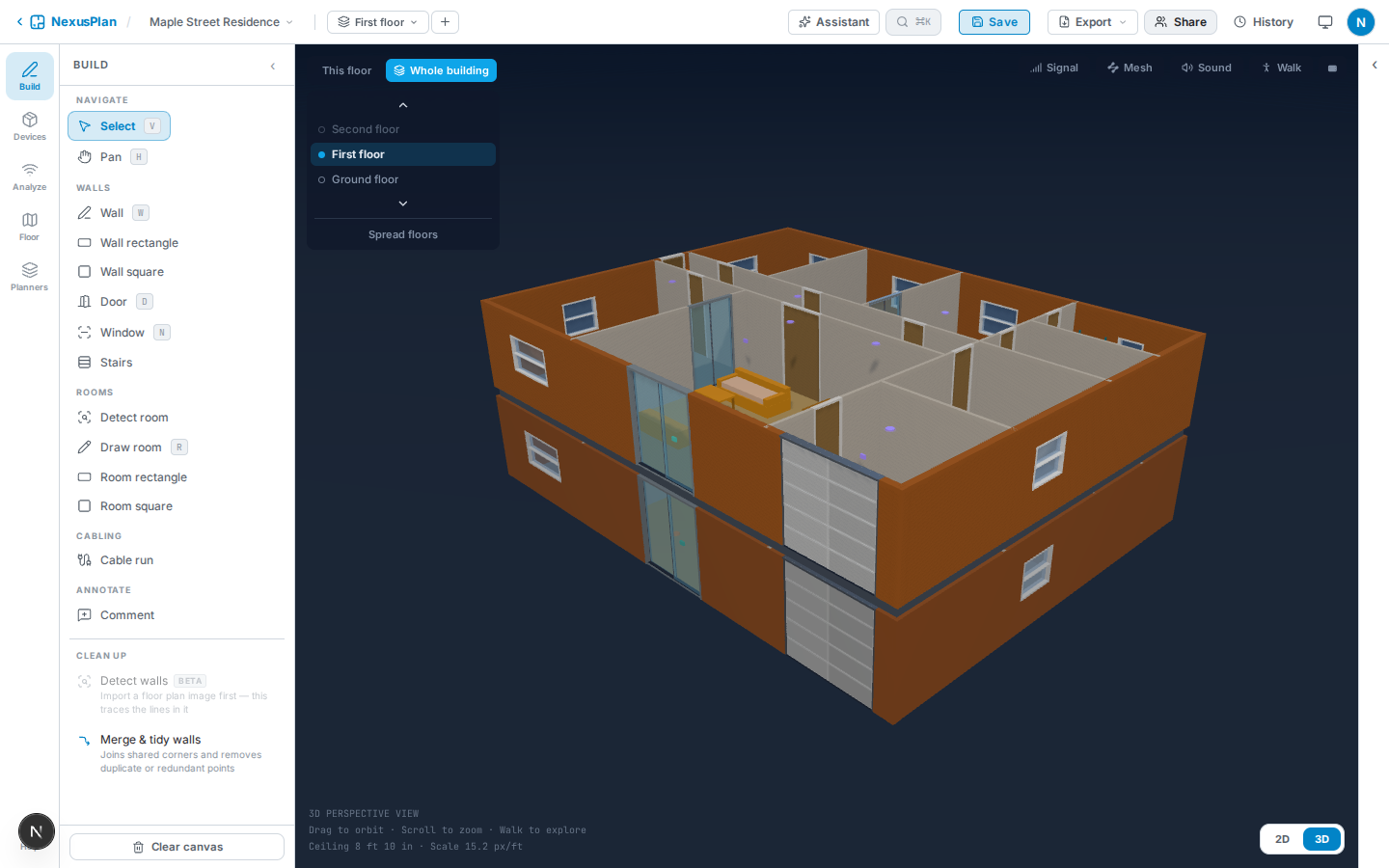
- The floor you’re on is drawn in full. The floors below it are drawn faded, without furniture, so you can see how the storeys relate.
- The floors above it are hidden, so you look straight into the floor you’re on.
- Pick a floor in the list, or use the arrows, to move up or down. This switches the floor you’re working on, just like the floor switcher in the toolbar, and saves the floor you leave first.
- Spread floors pulls the storeys apart so each one is easy to see.
- On the bottom floor nothing else shows, because every other floor is above it. If a floor is stacked in the wrong place, put the floors in order.
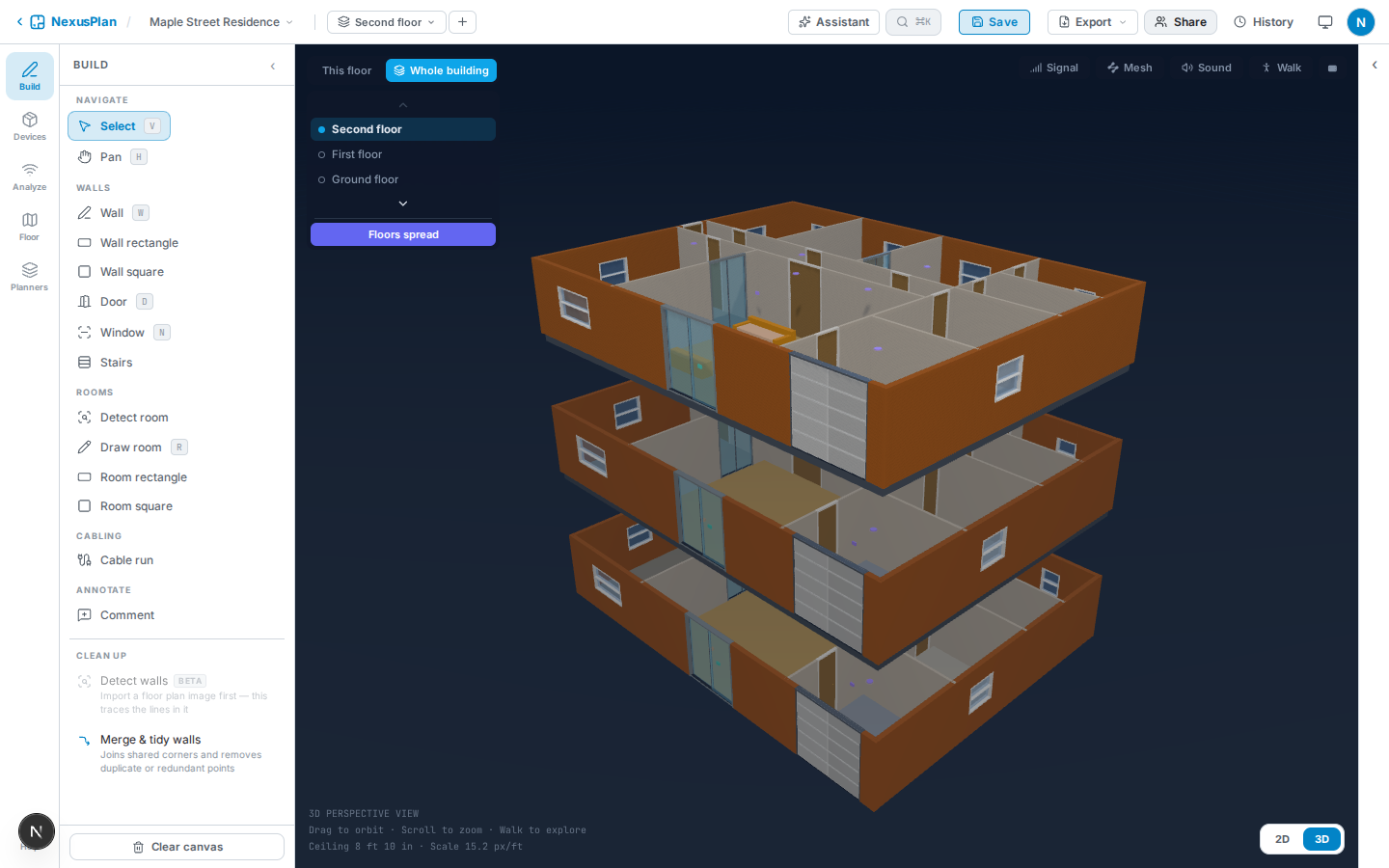
Each floor sits on the one below at that floor’s ceiling height, plus the floor structure between them (about 0.3 m of timber joists unless you’ve set concrete or steel).
Floors are lined up the same way as for cross-floor coverage: by the point you set with Align floors, otherwise by a room named “stairs”, otherwise by the outside walls’ top-left corner. The corner works when floors share the same outline. If a floor’s outline is a different size, the view says that floor may sit in the wrong place; align the floors to fix it.
People you share the plan with see the whole building too, from the share page’s 3D View.